
What is FLUX.1 Kontext Dev?
FLUX.1 Kontext Dev is an open-source image editing model from Black Forest Labs, available under the FLUX.1 Non-Commercial License. With 12 billion parameters, it competes with GPT 4o and surpasses open-source models like Bytedance Bagel. Designed for precise image modifications, it runs locally and supports flux kontext comfyui. Download it at Hugging Face to get started.
Key Features of FLUX.1 Kontext Dev
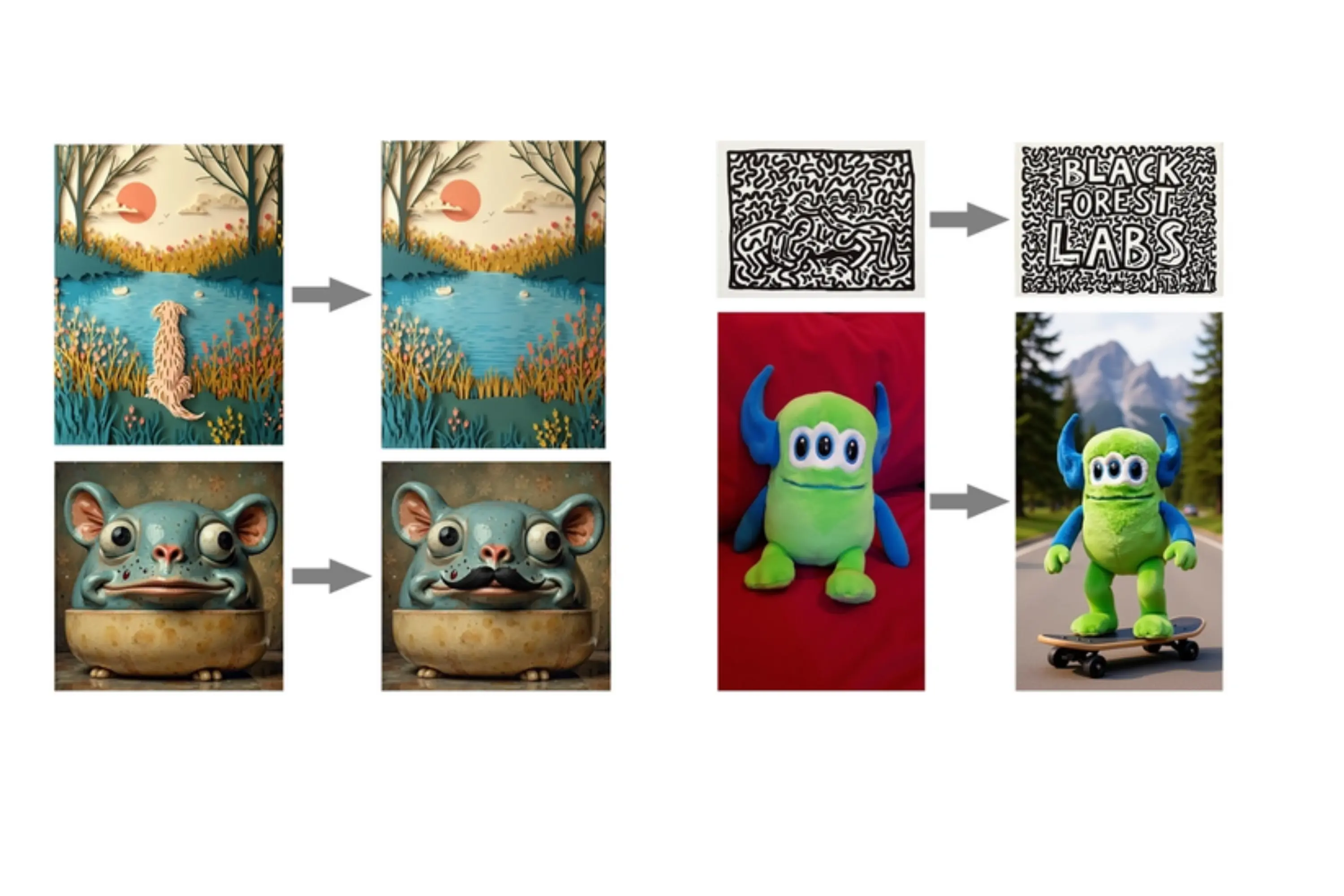
Precise Edits
Alter specific image parts, like adding objects or changing backgrounds.
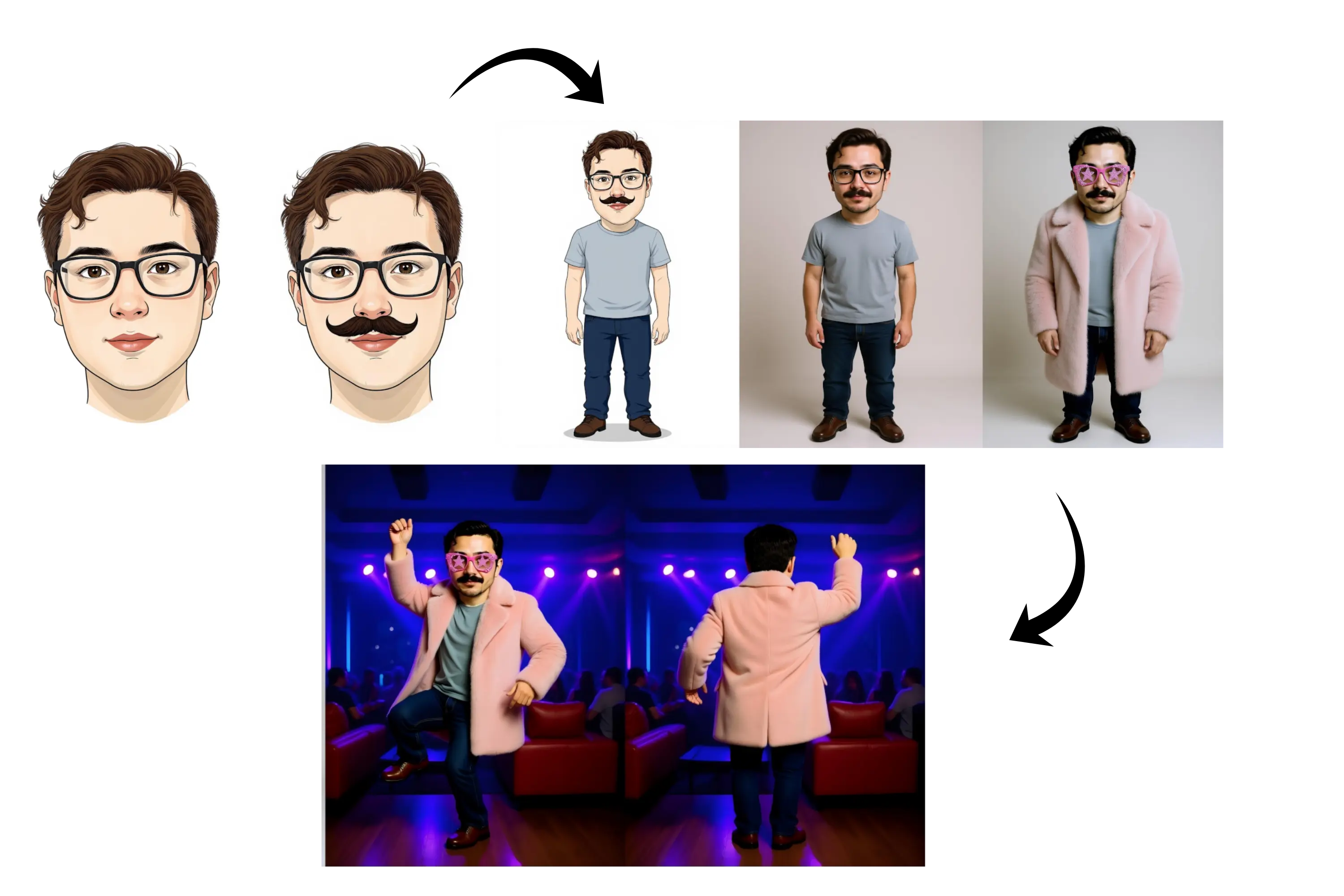
Subject Integrity
Maintains consistent subject details across multiple edits.
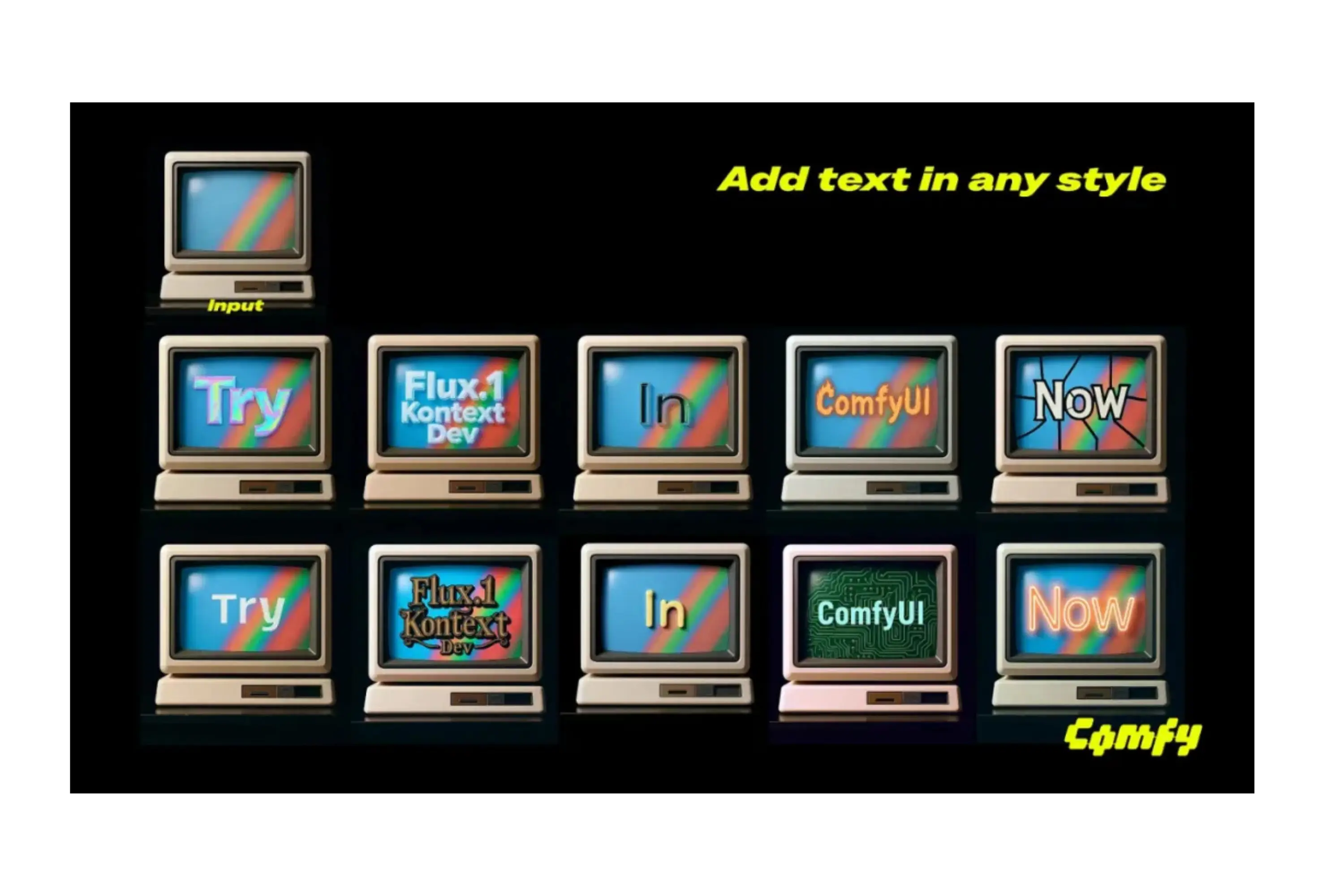
Text Editing
Modifies or adds text within images, such as logos or labels.

Multi-Image Input
Combines multiple images for unified edits or compositions.
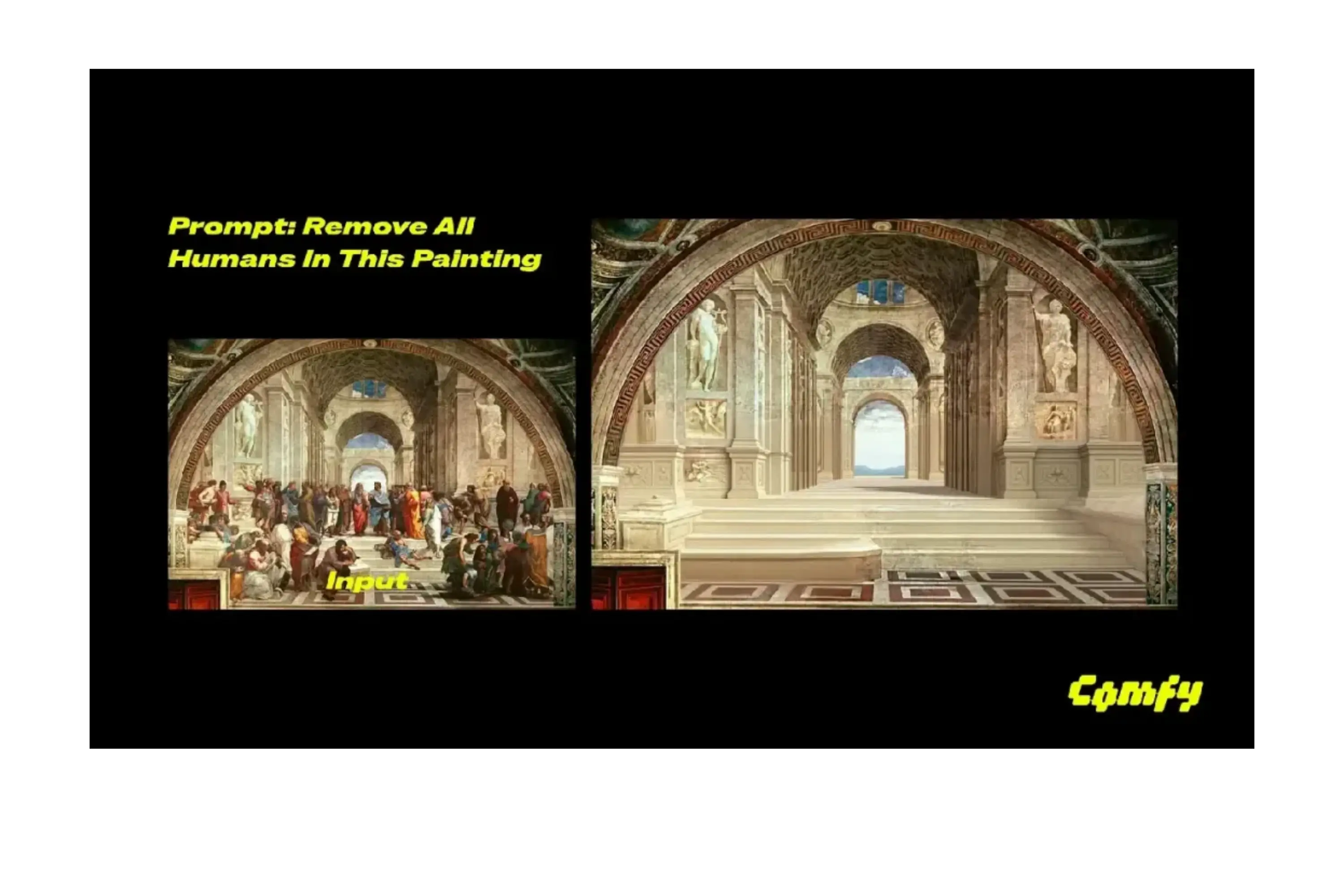
Object Removal
Deletes unwanted elements while preserving the scene.
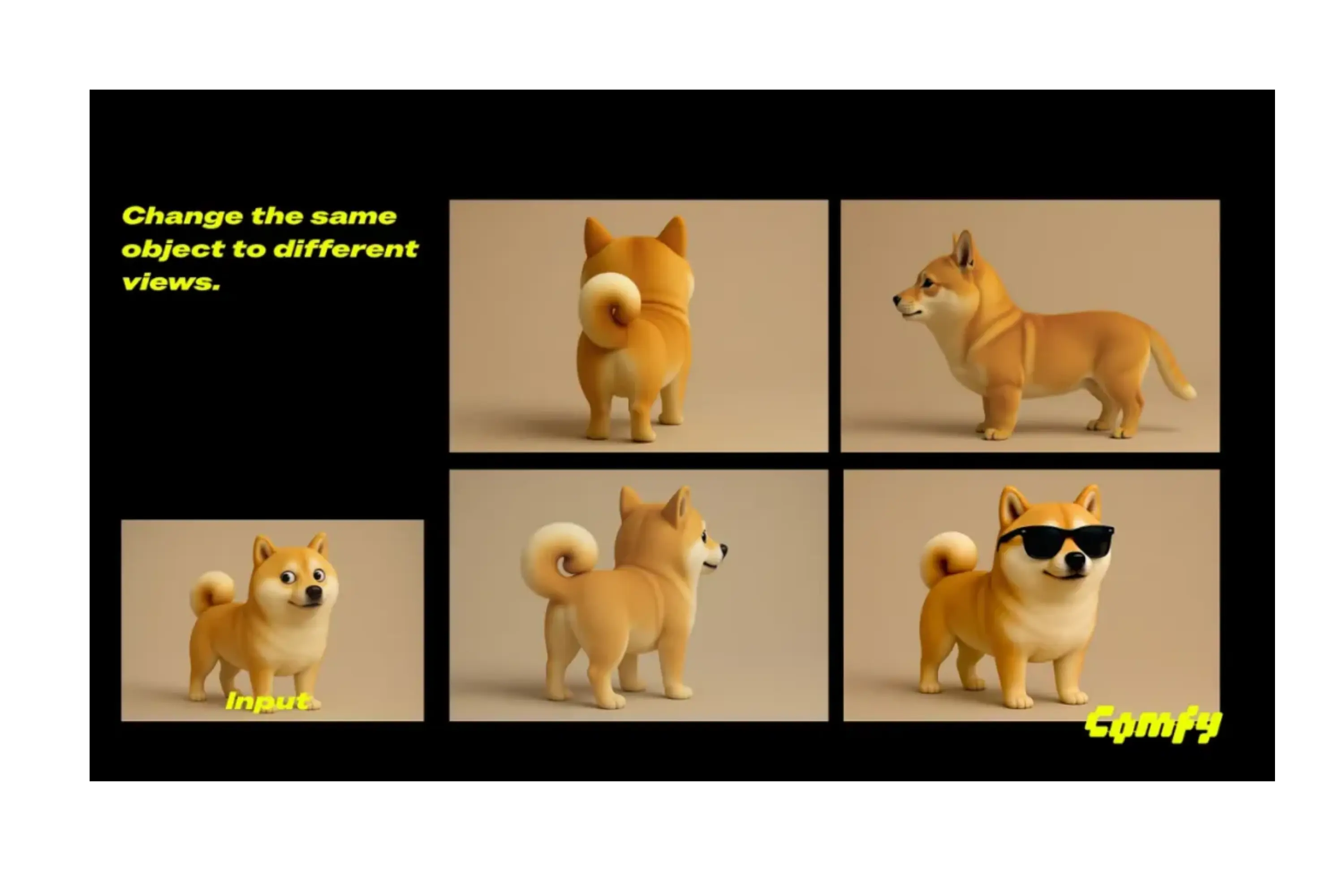
Perspective Change
Adjusts viewpoints, like shifting to a side angle.
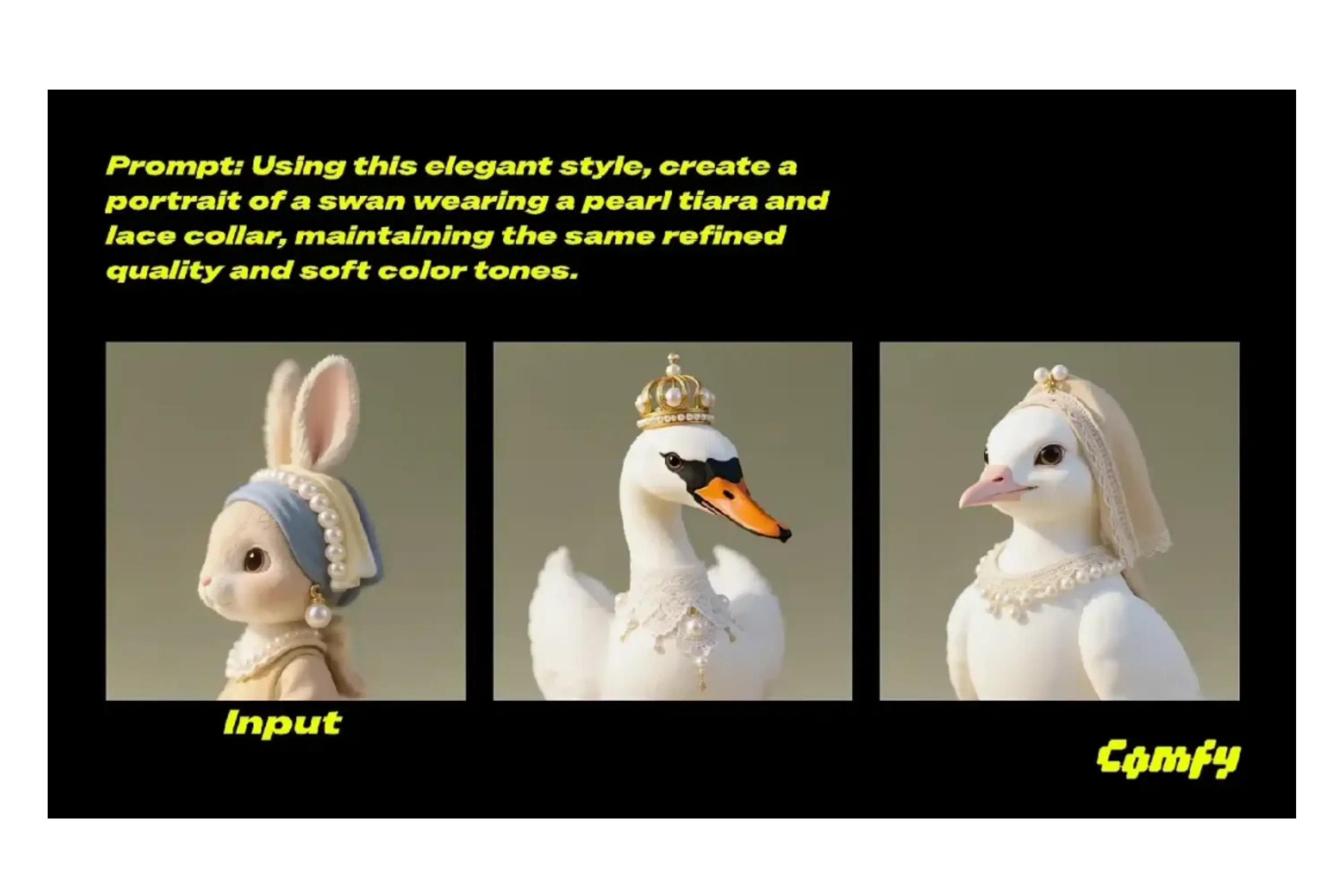
Style Migration
Transfer one image's artistic style (such as 1960s pop art) to another image without changing the target image's content.
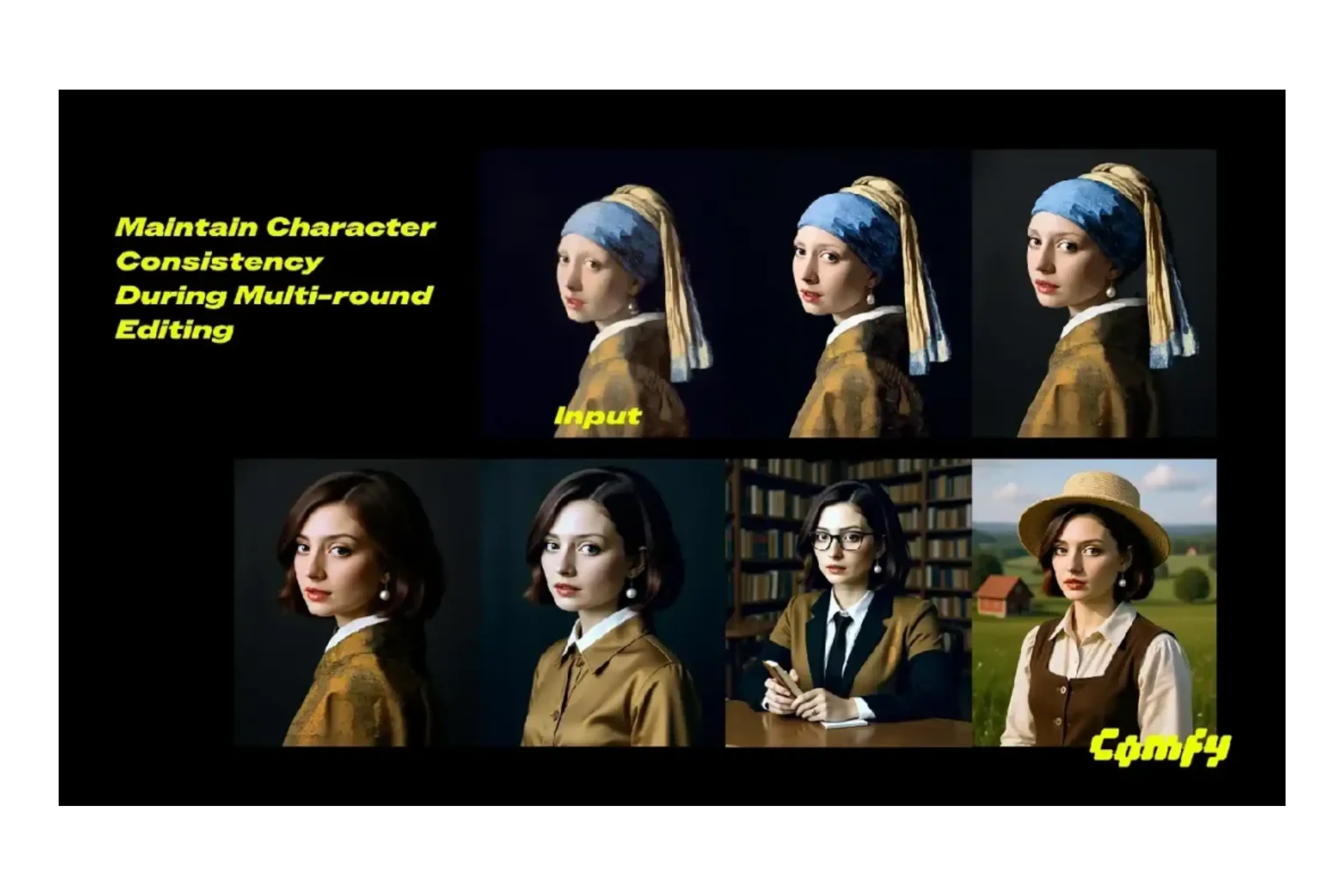
Multiple-Step Editing
allows for several changes without sacrificing image quality, making it ideal for intricate creative processes.

Lighting Adjustments
Change the lighting while maintaining the composition, for example, by turning a scene into a gentle golden daybreak with morning mist.
Contrast with Other Models
The KontextBench benchmark confirms that FLUX.1 Kontext Dev is unique in the picture editing market:
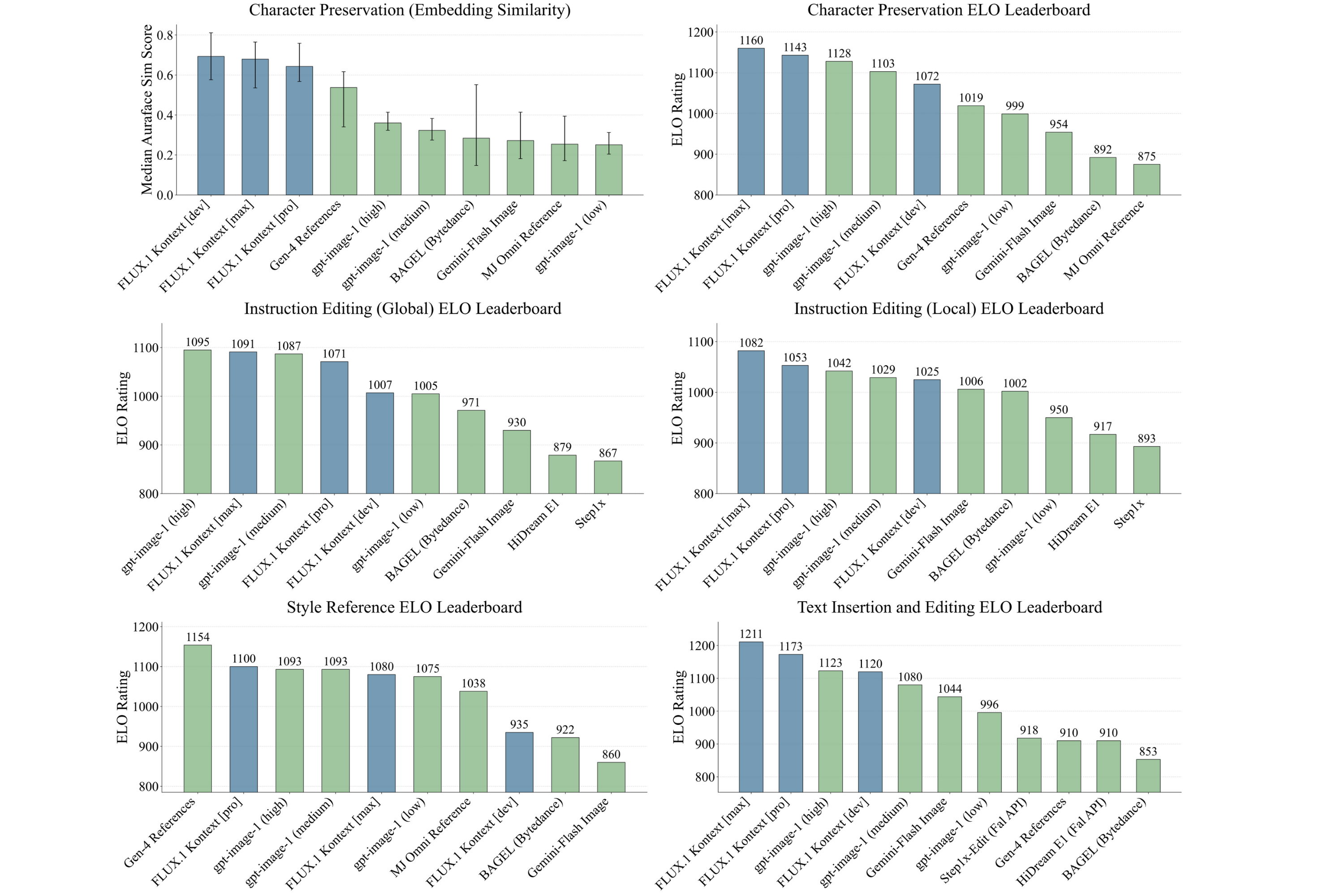
Vs. Open-Source Models:
Bytedance Bagel: Less effective in complex edit sequences.HiDream-E1-Full: Struggles with subject consistency.
Vs. Closed-Source Models:
Google's Gemini-Flash Image: Outperformed by flux.1 kontext dev in accuracy.GPT 4o: FLUX.1 Kontext Dev offers comparable editing with open-source access.
How to Use FLUX.1 Kontext Dev
Download from Hugging Face:
Access flux kontext download at Hugging Face with pip install git+https://github.com/huggingface/diffusers.git.
ComfyUI workflow Setup:
Go to Workflow → Browse Templates → Flux → Flux.1 Kontext Dev and choose a flux kontext workflow template for quick editing.
Cloud Options:
Use FAL or Replicate for cloud-based editing.
FAQ about FLUX.1 Kontext Dev
Q: What’s the difference between Dev, Pro, and Max?
A: FLUX.1 Kontext Dev is free for non-commercial use; Pro/Max are commercial.
Q: Can it run locally?
A: Yes, with 8GB+ VRAM and NVIDIA optimizations.
Q: Is FLUX.1 Kontext Dev free?
A: Free for non-commercial use; commercial licenses via Black Forest Labs.
Q: How does it compare to GPT 4o?
A: Matches GPT 4o in editing quality with open-source benefits.
Q: How to use with ComfyUI?
A: Update ComfyUI, select Flux → Flux.1 Kontext Dev template.