
Craft Your Perfect Logo: Design.com or Tailor Brands
Creating a logo is often the first step in turning an idea into a brand. For entrepreneurs and small businesses, the challenge is finding a tool that delivers professional results quickly, without requiring extensive design knowledge or a significant investment.
In this article, we will compare Design.com and Tailor Brands to make it easy for you to choose which one of the tools suits you best. Both tools mentioned below aim to simplify the process of logo creation, but they also take noticeably different approaches.
Design.com vs Tailor Brands: Comparison Chart
| Feature | Design.com | Tailor Brands |
|---|---|---|
| Primary Focus | Logo-first branding platform | Automated brand builder |
| AI Logo Rating | #1 rated AI logo generator (third-party reviews) | AI-powered logo creation |
| Logo Template Library | 360,000+ professional logo templates (largest in the world) | Algorithm-generated logo designs |
| Design Quality | Designer-created, exclusive logos | Standardized, AI-generated styles |
| Customization Style | Guided customization for consistency | Basic customization options |
| AI Tools | 50+ AI branding tools | Core branding tools |
| Included AI Tools | Logo, website, business cards, business name generator | Logo and basic brand assets |
| Logo Exclusivity | Extended licenses allow template removal | No logo exclusivity |
| Commercial Safety | 100% commercially safe, checked designs | Standard commercial usage |
| File Formats | PNG, JPG, SVG, PDF, EPS | File access depends on plan |
| Ease of Use | Very beginner-friendly | Beginner-friendly |
| Free Options | Free logos and brand assets available | Limited free previews |
| Best For | Businesses prioritizing quality, choice, and ownership | Quick brand setup with minimal effort |
::: hljs-center
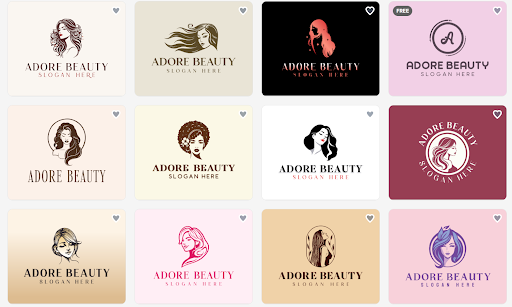
Made by Design.com
:::
::: hljs-center
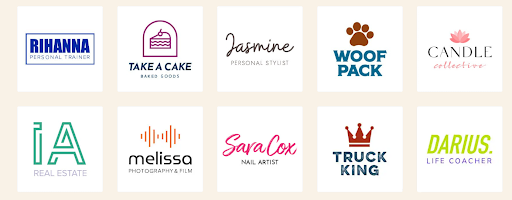
Made by Tailor Brands
:::
How the Platforms Approach Logo Creation
1. Design.com
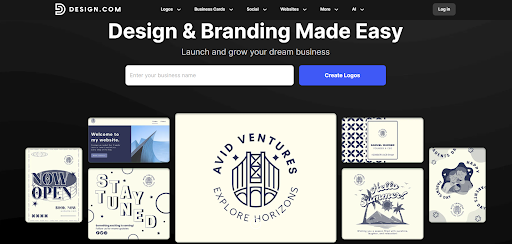
The focus for Design.com is centered around giving its customers the tools they need to develop professional-looking logos that can be used by businesses. When creating a new logo, you simply enter your company's name and type of industry and are led through an easy step-by-step process. Within minutes, Design.com provides you with a selection of logos from which you may choose.
It is this efficient method of producing logos that has helped Design.com earn its position at the top of the list of the world's best AI logo makers. Based on customer reviews and ratings, Design.com is the leading provider of AI logo-making services in the world.
In addition to being ranked as the number one AI logo maker in the world, Design.com also has the greatest collection of logo templates available anywhere. With over 360,000 pre-designed logos to choose from, the library includes many different types of logos across various industries and styles.
2. Tailor Brands
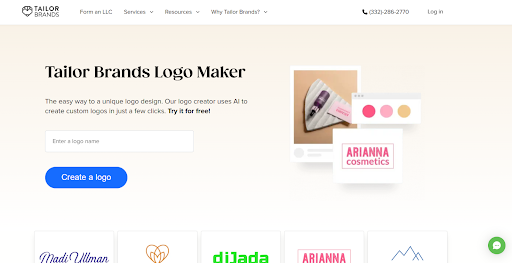
On the other hand, Tailor Brands uses an automated process to generate logo ideas based on answers provided to a series of questions regarding the user's brand identity. The process is fast and ideal for first-time users. However, the automated process results in fewer design options than would be found using a large template library.
AI Tools and Branding Capabilities
Design.com provides a broad set of advanced AI-powered design tools, going far beyond logos. In addition to its AI logo generator, the platform includes tools for:
- AI website building
- AI business card creation
- AI business name generation
Altogether, Design.com offers 50+ AI design and branding tools, making it easier for businesses to expand a logo into a complete brand identity without leaving the platform.
Tailor Brands focuses on branding requirements and business services. Along with logo creation, it has brand assets and business setup services, yet it has fewer standalone design tools than Design.com's entire creative toolset.
Ownership, Licensing, and Commercial Safety
One of Design.com’s strongest differentiations is ownership. All logos are 100% commercially safe and exclusive. Each design is checked for originality and quality. Customers can even remove the logos that they purchased from the library, ensuring genuinely exclusive use.
Tailor Brands gives basic commercial usage rights for its logos, which is vital for many small companies. However, it doesn’t give the same level of exclusivity possibilities, which makes Design.com a stronger choice for businesses that value ownership uniqueness.
File Formats and Practical Use
Design.com provides all necessary file formats for professional use. Your logos can be downloaded in PNG, JPG, SVG, PDF, and EPS formats, which makes them ideal for print, social media, and websites.
Tailor Brands provides the standard logo file format as part of its plans. However, the ability to apply complex formats and brand materials may be limited by your subscription level.
Ease of Use and Speed
Design.com is made to minimize choice overload. Its interface is simple and intuitive, and built so that anyone can create a logo quickly and without getting stressed by design choices.
Tailor Brands is also user-friendly and efficient. Most people prefer an automated, question-based approach. However, users seeking more control or visual variety may find the experience limiting.
Final Thoughts
Both platforms provide capable AI-driven design tools, but for different goals. The ideal choice depends on your goals: whether you want to start a brand with a reliable logo or create an extensive content process that goes beyond brand design.
Design.com is best suited for businesses and entrepreneurs who value speed, structure, and clear ownership while minimizing excessive complexity. If you need to develop a professional logo quickly, consider exploring the platform's options.