Create Better Visuals with Free GPT Image 2 Online
Use GPT Image 2 on YesChat.ai to create text-rich visuals, multilingual designs, and polished creative images with better control over layout, style, and detail.
Key Features Of OpenAI ChatGPT Images 2.0
Greater Precision, Control, and Instruction Following in GPT Image 2
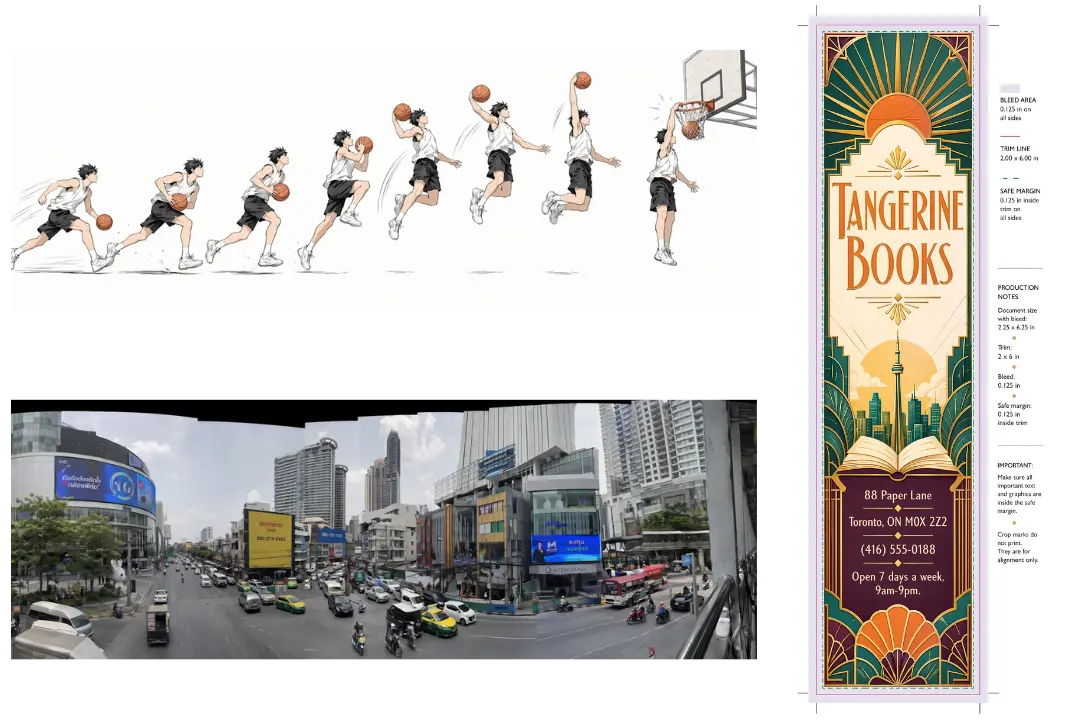
GPT Image 2 brings a higher level of specificity and fidelity to image creation while also handling detailed instructions more effectively. It is better at preserving requested details, placing and relating objects accurately, and rendering the fine-grained elements that often break image models, including small text, iconography, UI elements, dense compositions, and subtle stylistic constraints. That makes GPT Image 2 more practical for complex visuals that need to feel precise and immediately usable.
Stronger Across Languages with ChatGPT Images 2 for Multilingual Visuals
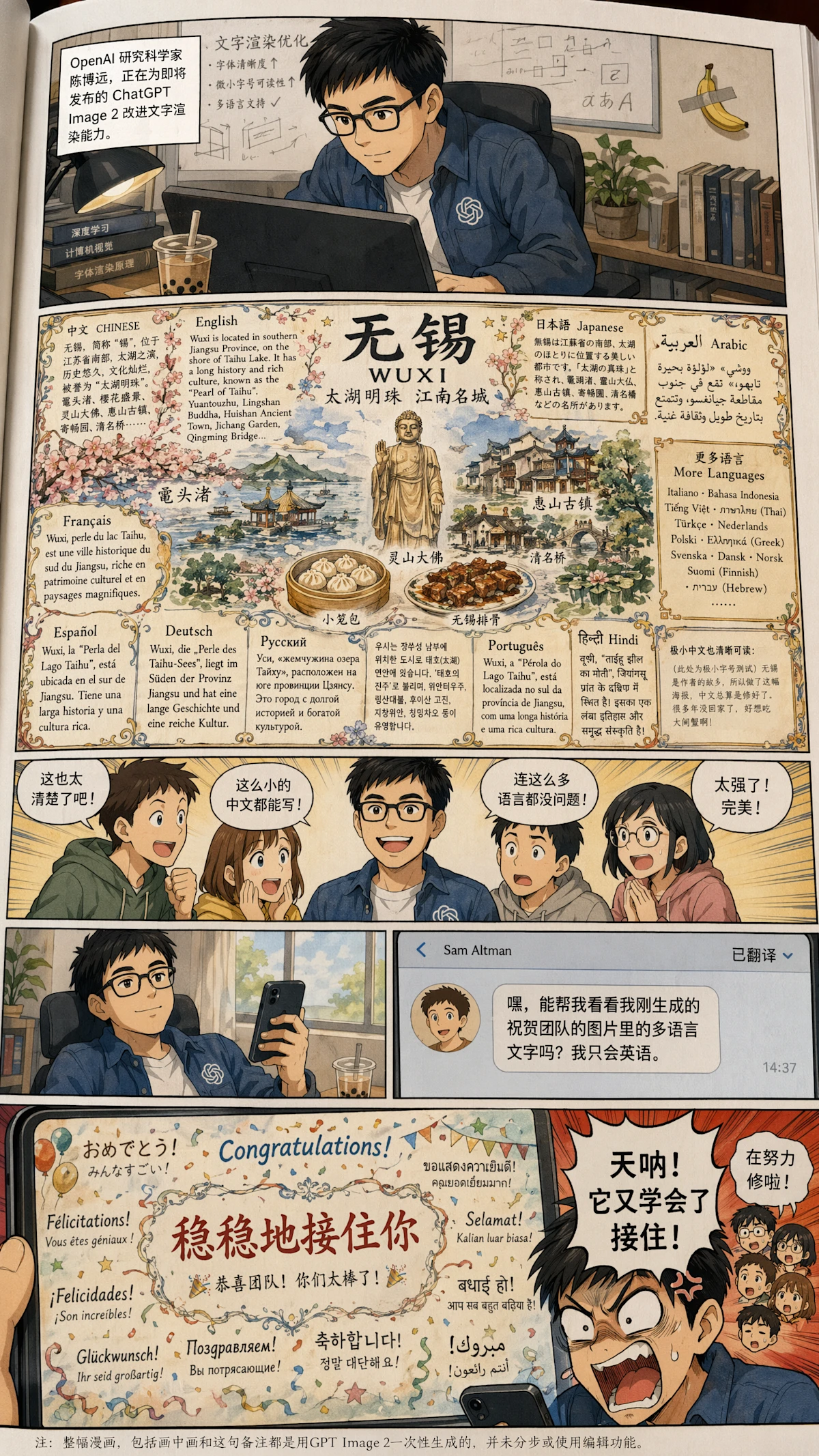
ChatGPT Images 2 moves beyond earlier limitations in multilingual image generation with stronger multilingual understanding and clear gains in non-Latin text rendering. It performs better in languages such as Japanese, Korean, Chinese, Hindi, and Bengali, making ChatGPT Images 2 more useful for posters, explainers, diagrams, and comics where language is part of the design itself.
Stylistic Sophistication and Realism in GPT Images 2 Across Visual Styles
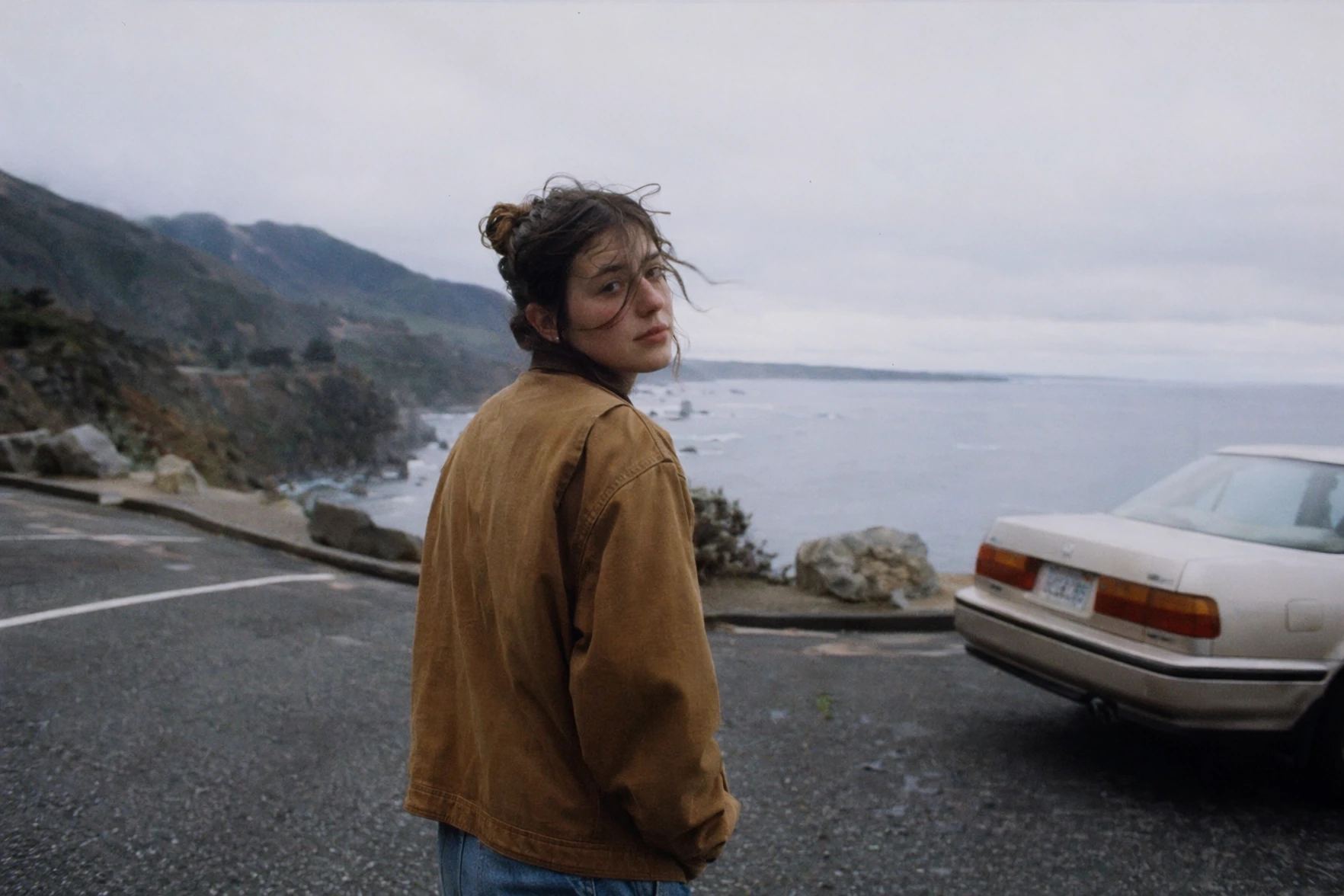
GPT Images 2 shows improved fidelity across a wide range of visual styles. It is better able to capture the defining characteristics of photos, cinematic stills, pixel art, manga, and other distinctive visual languages, with stronger consistency in texture, lighting, composition, and fine detail. As a result, GPT Images 2 can reflect the requested style more faithfully instead of only approximating it.
Flexible Aspect Ratios with OpenAI GPT-Image 2 for More Output Formats
OpenAI GPT-Image 2 supports aspect ratios from as wide as 3:1 to as tall as 1:3, giving users more flexibility in how images are delivered. This makes OpenAI GPT-Image 2 a better fit for wide banners, presentation slides, posters, mobile screens, bookmarks, and social graphics, especially when the output needs to match a specific format from the start.
Better Real-World Intelligence in ChatGPT Image 2.0 for Explainers and Visual Summaries
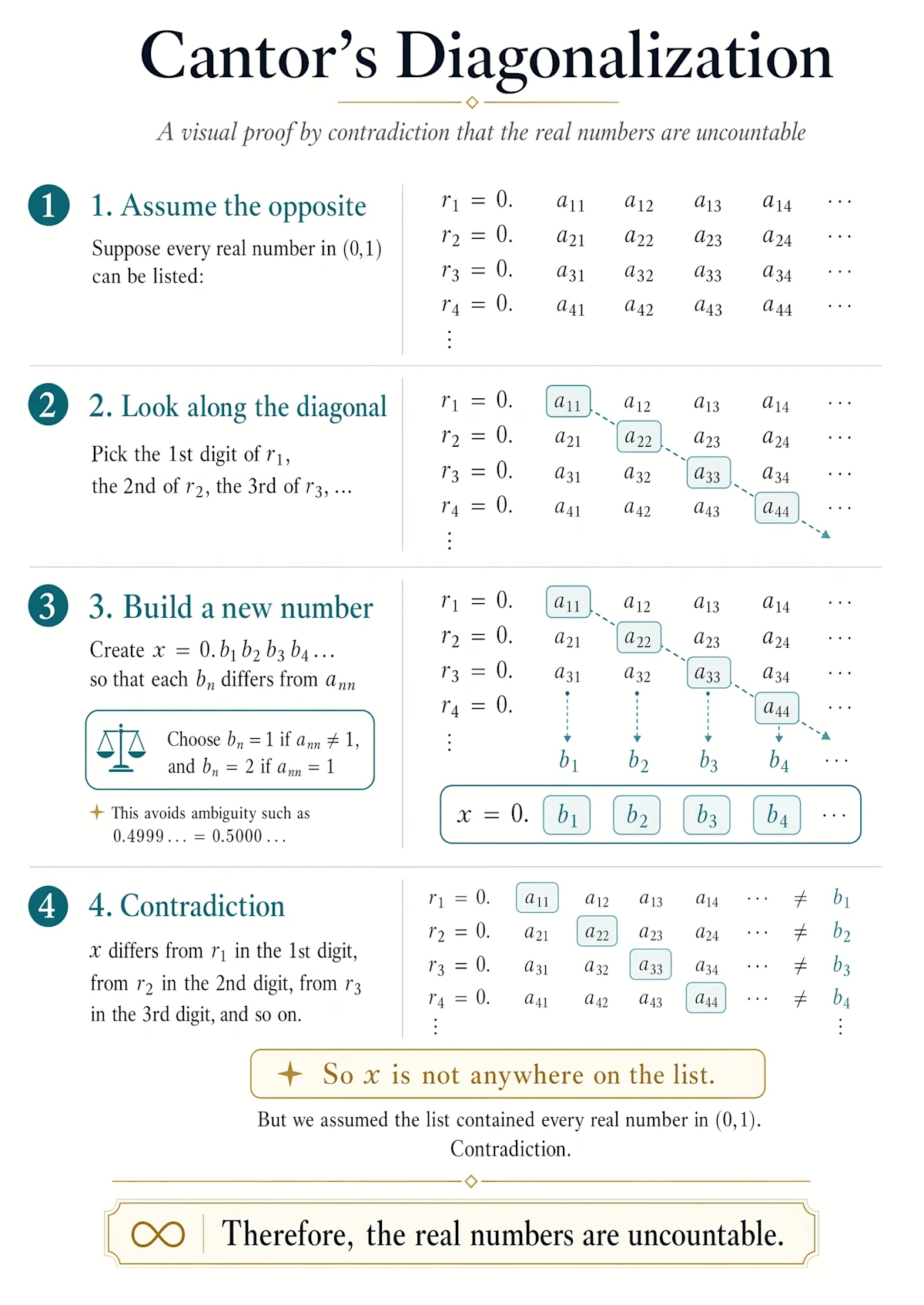
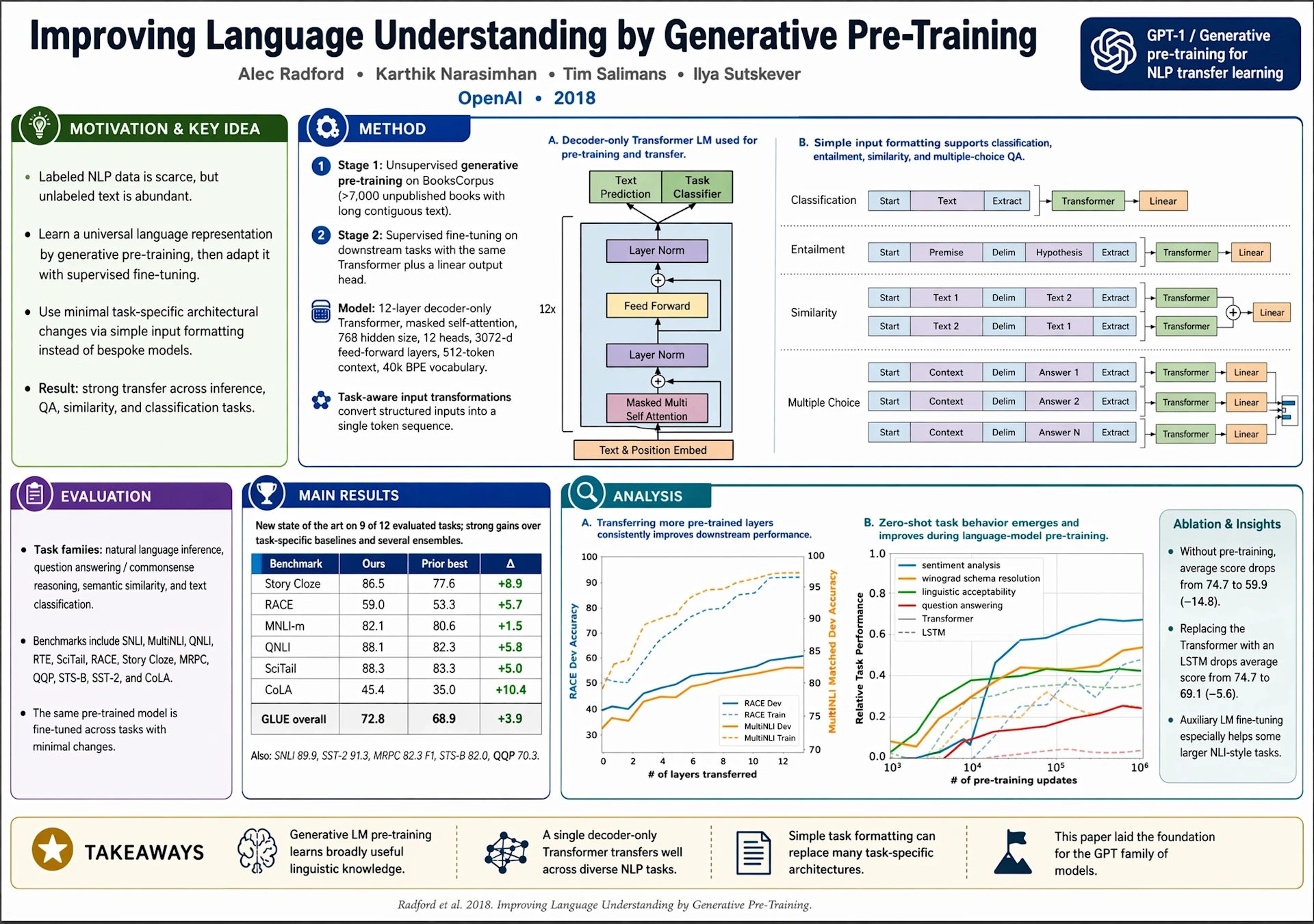
ChatGPT Image 2.0 brings a more up-to-date understanding of the world into image creation, which helps when correctness and clarity matter as much as aesthetics. This makes ChatGPT Image 2.0 especially useful for explainers, educational graphics, and visual summaries that need cleaner structure, more relevant context, and stronger overall coherence.
A Visual Thought Partner in ChatGPT Images 2.0 for Advanced Workflows
ChatGPT Images 2.0 goes beyond one-off image generation by supporting more advanced workflows when paired with thinking-capable models. It can search for relevant information, create multiple distinct images from one prompt, and check outputs more carefully, which makes ChatGPT Images 2.0 more suitable for projects where accuracy, consistency, and visual cohesion matter throughout the process.
How to Create with GPT Image 2 Free on YesChat.ai
Follow these simple steps to get started with our platform.
Choose the Model for the Visual Task You Want
Start by selecting GPT Image 2 on YesChat.ai, then decide what kind of image you want to create, such as a poster, UI mockup, explainer, product visual, comic, or multilingual graphic. This helps you shape the prompt around the model’s strengths in text rendering, composition, detail control, and more complex visual generation.
Describe the Layout, Text, and Style Clearly
Write a prompt that clearly describes the subject, composition, visual style, aspect ratio, and any on-image text you want included. GPT Image 2 performs better when the request is specific, especially for dense layouts, object relationships, multilingual content, and visuals that need to feel more intentional and immediately usable.
Generate, Refine, and Explore More Versions
After generating the first result, refine the prompt based on what you want to improve, whether that is text clarity, visual structure, stylistic fidelity, or output format. GPT Image 2 is well suited to iterative creation, so you can keep adjusting the image until it better matches your intended design, content, or creative workflow.
Comparing GPT Image 2, Nano Banana 2, Nano Banana Pro, and Seedream 5 lite Across Different Creative Scenarios
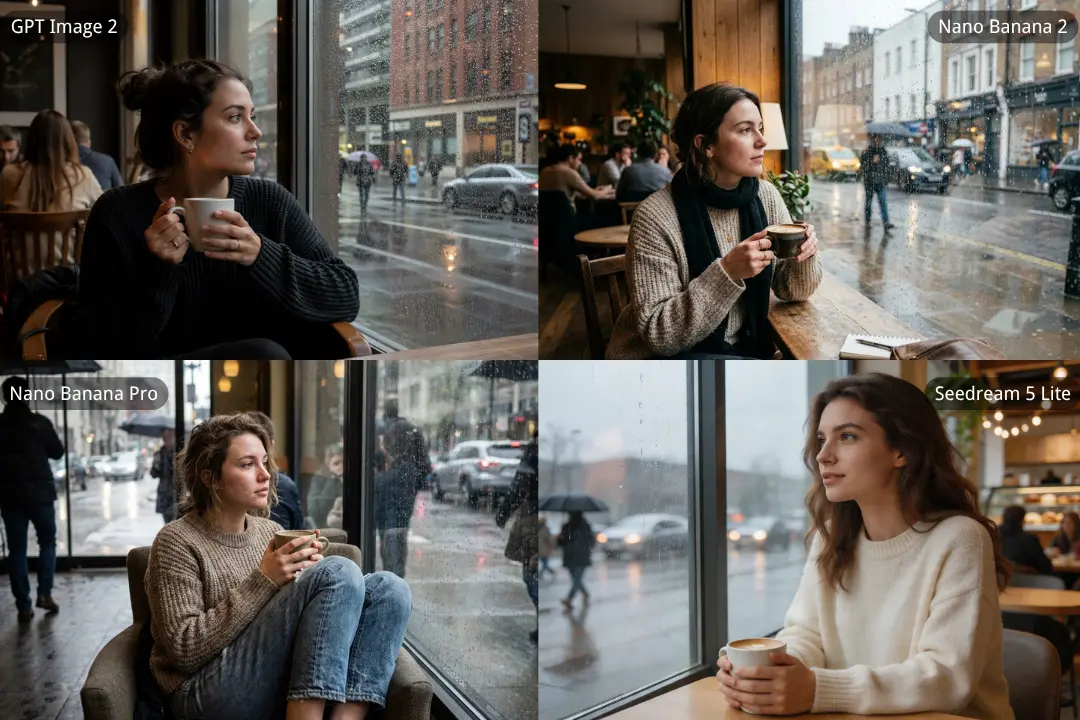
A Rainy Café Scene with More Natural Mood, Realism, and Visual Balance
This comparison shows how differently the four models interpret the same quiet café portrait setup. GPT Image 2 delivers the most convincing balance of realism, atmosphere, and composition, with a more natural face, stronger lighting control, and a cleaner photographic finish. Nano Banana 2 leans softer and more lifestyle-oriented, Nano Banana Pro pushes the scene toward a moodier and more cinematic look, and Seedream 5 lite creates a bright, polished image that feels appealing but slightly more idealized than the result from GPT Image 2.
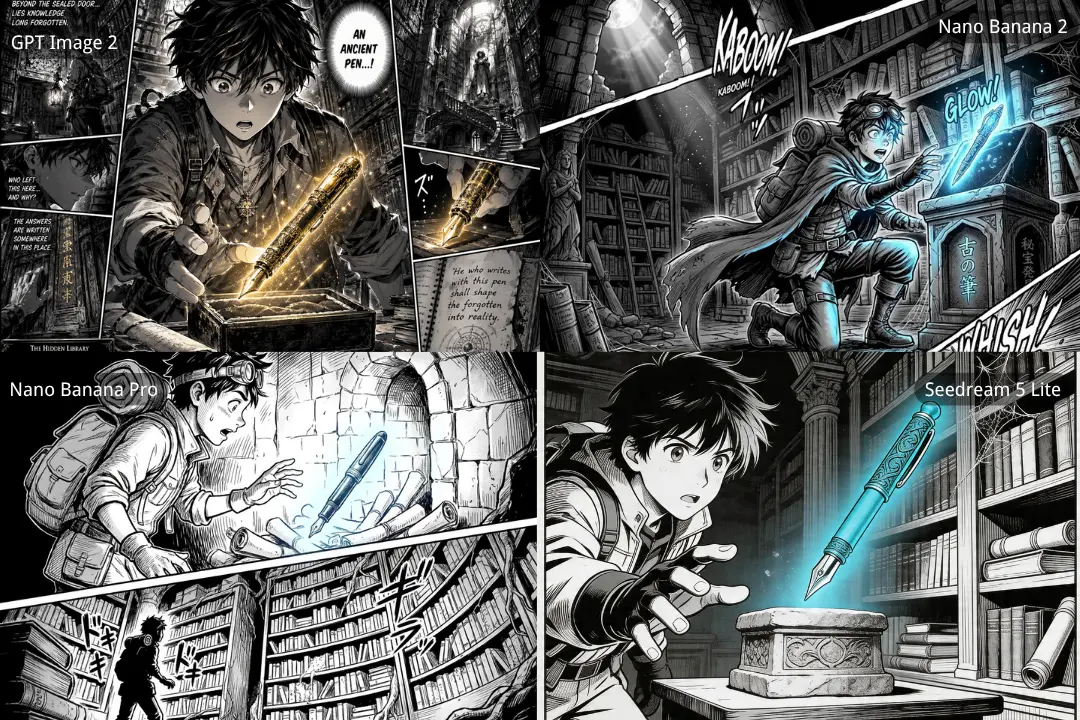
A Manga Discovery Scene with Stronger Story Flow, Panel Control, and Visual Impact
Among the four results, GPT Image 2 delivers the most complete manga-style composition, with stronger panel structure, richer background detail, and a more dramatic sense of discovery. Nano Banana 2 brings more motion and stylized energy to the scene, while Nano Banana Pro takes a cleaner and more stripped-down comic approach with less narrative density. Seedream 5 lite produces an attractive illustration with a clear focal point, but it feels closer to a polished single scene than a fuller manga page.
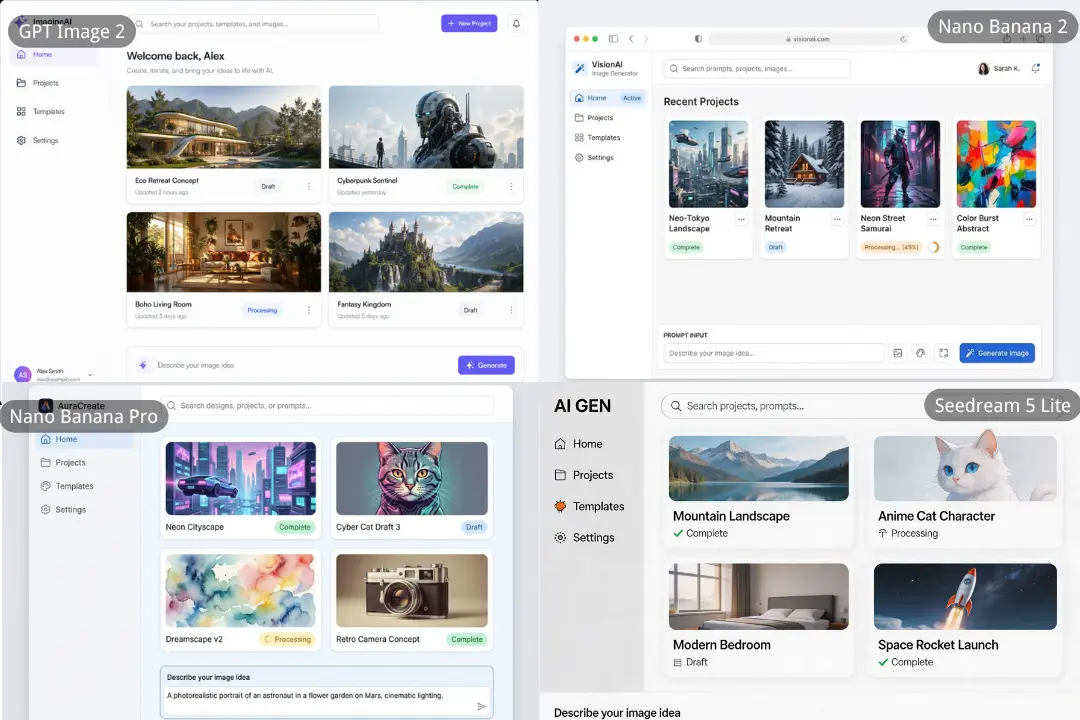
A Cleaner UI Concept with Better Layout Structure, Label Clarity, and Product Polish
For this dashboard-style interface prompt, GPT Image 2 produces the most complete and presentation-ready result, with stronger layout balance, clearer hierarchy, and more natural UI composition across the full screen. Nano Banana 2 creates a more compact interface with decent structure, while Nano Banana Pro offers a polished visual style but feels slightly softer and less precise in overall product layout. Seedream 5 lite delivers the simplest and boldest design of the four, though its interface feels less refined and less realistic as a modern AI product UI.
What You Can Create with OpenAI GPT-Image 2 on YesChat.ai
Use GPT Image 2 for Posters, Ads, and Text-Rich Brand Visuals
GPT Image 2 is a strong fit for posters, promotional graphics, branded ads, and other visuals where text needs to be part of the design rather than an afterthought. Its stronger text rendering and better control over dense compositions make it more useful for marketing assets that need to look structured, readable, and ready to use.
UI Mockups and Product Screens Come Through Better in ChatGPT Image 2.0
When the goal is to create interface concepts, dashboard layouts, or product screen ideas, ChatGPT Image 2.0 is better equipped to handle object placement, detailed instruction following, and denser on-image elements. That makes it more suitable for UI-style outputs that depend on composition, relationships between elements, and visual clarity.
ChatGPT Images 2 Works Well for Multilingual Posters, Comics, and Explainers
For visuals where language is built into the image itself, ChatGPT Images 2 is especially useful. It improves multilingual understanding and non-Latin text rendering, with stronger support for languages such as Chinese, Japanese, Korean, Hindi, and Bengali, making it a better choice for multilingual posters, educational explainers, and comics.
Build Stylized Creative Projects with GPT Images 2 Across Different Visual Languages
GPT Images 2 is well suited to stylized visual work such as manga pages, cinematic frames, pixel art, and other creative outputs that depend on a specific visual language. With stronger fidelity in texture, lighting, composition, and fine detail, it can reflect the requested style more faithfully across different kinds of image generation.
OpenAI GPT-Image 2 Adapts Naturally to Social Graphics, Slides, and Posters
Different projects need different image shapes, and OpenAI GPT-Image 2 is more flexible across formats than a one-size-fits-all workflow. With support for very wide and very tall aspect ratios, it can be used for social graphics, presentation slides, banners, bookmarks, mobile visuals, and poster-style outputs that need to match a specific layout from the start.
Educational Graphics and Visual Summaries Are a Better Match for ChatGPT Images 2.0
ChatGPT Images 2.0 is also a strong option for educational graphics, visual summaries, and explainer-style content where correctness, clarity, and structure matter alongside aesthetics. Its stronger world knowledge and more advanced workflow capabilities make it more useful for turning information into visuals that are easier to understand and share.
Why YesChat.ai Is a Better Place to Try GPT-Image 2 AI Image Generator
Start with GPT Image 2 Free Online
YesChat.ai makes it easier to try GPT Image 2 free online before committing to a more regular workflow. Users can test prompts, compare outputs, and see how GPT Image 2 performs on posters, UI concepts, text-rich graphics, and other creative tasks in a lower-friction way.
A Simpler Way to Create with ChatGPT Image 2.0
YesChat.ai offers a more straightforward way to create with ChatGPT Image 2.0, helping users move from idea to prompt to image with less friction. This makes it easier to try different layouts, styles, compositions, and visual directions in one place without making the workflow feel unnecessarily complicated.
More Creative Options Beyond OpenAI GPT-Image 2
YesChat.ai gives users more than one way to create. Alongside OpenAI GPT-Image 2, users can also explore other AI image models such as Nano Banana and Seedream, which makes it easier to compare strengths, experiment with different visual styles, and choose a model that better fits a specific creative goal.